
How to use your NFT avatar as your Twitter Profile Picture?
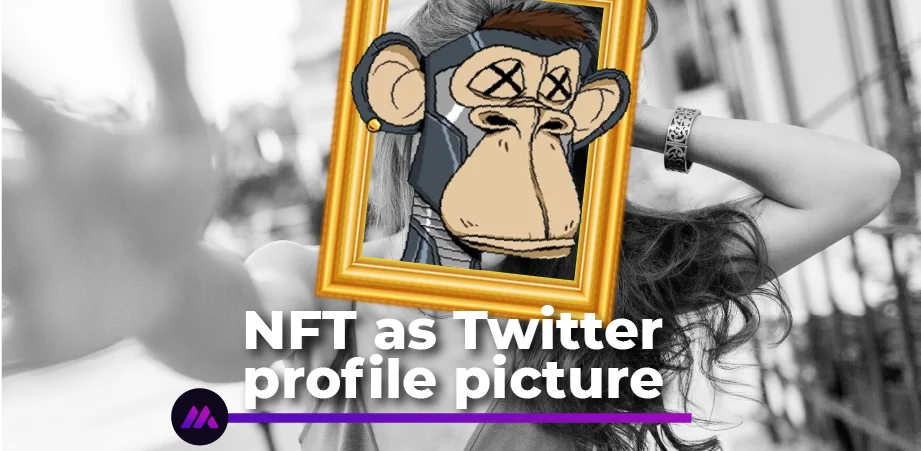
Non-fungible tokens are digital assets that reside on a blockchain, especially Ethereum. These assets have completely transformed our ways of living by introducing us to newer concepts like decentralization, ownership, and more. There’s been quite a lot of excitement around them. While some want to store them as pieces of artwork, others use them for real estate transactions. Their applications are countless, and in all cases, they reduce effort, enhance security and obviate the need for middlemen. The explosion of NFTs has encouraged companies like Twitter to come up with newer solutions, such as offering a service to use your NFT avatar as your Twitter profile picture. Let’s understand in this article how you can turn your NFT avatar into your Twitter profile picture.
Contents
How to make your NFT avatar your Twitter Profile Picture?
Recently, Twitter launched a paid-subscription service known as Twitter Blue with some premium features for its users. Some of these include editing published tweets, uploading longer videos, reading ad-free news, and much more. Among these, another interesting feature is – NFT profile pictures – which lets iOS users connect their crypto wallet and upload an NFT as their profile picture.
To get started, you need to have a Twitter Blue paid subscription account that costs €3 in the US. This service is also available in Australia, Canada, and New Zealand. Once you sign up, you can access Twitter on iOS, as, at present, this feature is only on iOS. In the Twitter app, go to your profile, and you should get a notification about setting your profile picture to an NFT. To receive the notification, you can go to the profile of someone who already uses their NFT in this manner.
- Select the NFT and Click “Connect my Wallet”
- Next, choose the wallet that contains your NFTs, like Metamask, Coinbase, or Rainbow
- You will be redirected to a page to connect your wallet to Twitter
- Once the connection is successful, you can view your collection of NFTs.
- Select the NFT you wish to and resize it as required
- Once finished, tap on “Done” to add your NFT to your Twitter profile picture
On Twitter, your profile picture will be in a hexagonal shape to indicate that yours is a verified NFT avatar. So, now you must have a fair idea of how to turn your NFT avatar into your Twitter profile picture. Thus, in a way, now your Twitter profile picture serves as a means of your NFT verification. Now, let’s understand how you can view other people’s NFTs on Twitter.
Viewing other people’s NFT on their Twitter profile
If you happen to see someone’s Twitter profile picture in a hexagonal shape, you can conclude safely that it is a verified NFT avatar. Tap on their profile picture and click “View NFT details”. This would enable you to find a lot of information about their NFT. That would include:
- NFT Creator
- Current NFT owner
- Verification from Opensea or other NFT marketplace
- NFT collection
- NFT properties or rare traits
- NFT details like smart contract address, token ID, token standards, and more
At the bottom of the NFT page, you will see information on what the NFT is all about. There may also be links available to find the NFT in a marketplace.
Final thoughts
With the craze for NFTs skyrocketing, people are finding ways to use their NFT avatars on social media. This article explains how you can turn your NFT avatar into your Twitter Profile Picture. Follow the simple steps and start flaunting your friends!
We at iMintify, are experts in the NFT space – websites, landing pages, marketplaces – and more! Feel free to reach us out here to avail any of our services or for any queries.
Volgt de NFT- en crypto-markt op de voet en vertaalt het nieuws naar wat het voor makers betekent.
Related articles
iMintify in 2026: New Site, Upgraded App, Still Free
iMintify has a new website, revised blogs and fresh 2026 guides, and an upgraded app that is free under fair use. A community project with free credits to start. Long live NFTs.
ERC-721 vs ERC-1155: Which NFT Standard Should You Use?
ERC-721 and ERC-1155 solve different problems. Here's the practical difference between the two standards, what it costs in gas, and which one fits a PFP collection versus a game or edition drop.

How to use the AI NFT Generator
Turn a written idea into finished NFT artwork, from a single piece to a full collection with matching traits. No design software, no drawing skills.
What Is a Liquidity Pool? Crypto Liquidity Explained
What is liquidity in crypto and what is a liquidity pool? How pools and AMMs work, why liquidity matters for your token, when to add it, and impermanent loss explained.
How to Create a Token on BNB Chain (No Code)
Create a token on BNB Smart Chain with no code. Reach a huge retail audience, add liquidity on PancakeSwap, and launch cheaply with post-deploy tools and an Anti-Rug badge using iMintify.
The Best Free NFT Generator in 2026 (What to Look For)
What makes the best free NFT generator, and why iMintify fits: no-code AI and layer generation, an audited smart contract you own, free IPFS storage, and multi-chain deploys.
How to Create a Token on Base (ERC-20, No Code)
Create an ERC-20 token on Base with no code. Reach Coinbase's users, add liquidity on Aerodrome, and launch cheaply with post-deploy tools and an Anti-Rug badge using iMintify.
How to Create a Crypto Token (SPL or ERC-20) With No Code
Learn how to create your own crypto token on Solana (SPL) or Ethereum (ERC-20) with no code. Set the identity and supply, add post-deploy tools, and launch with a trust badge.